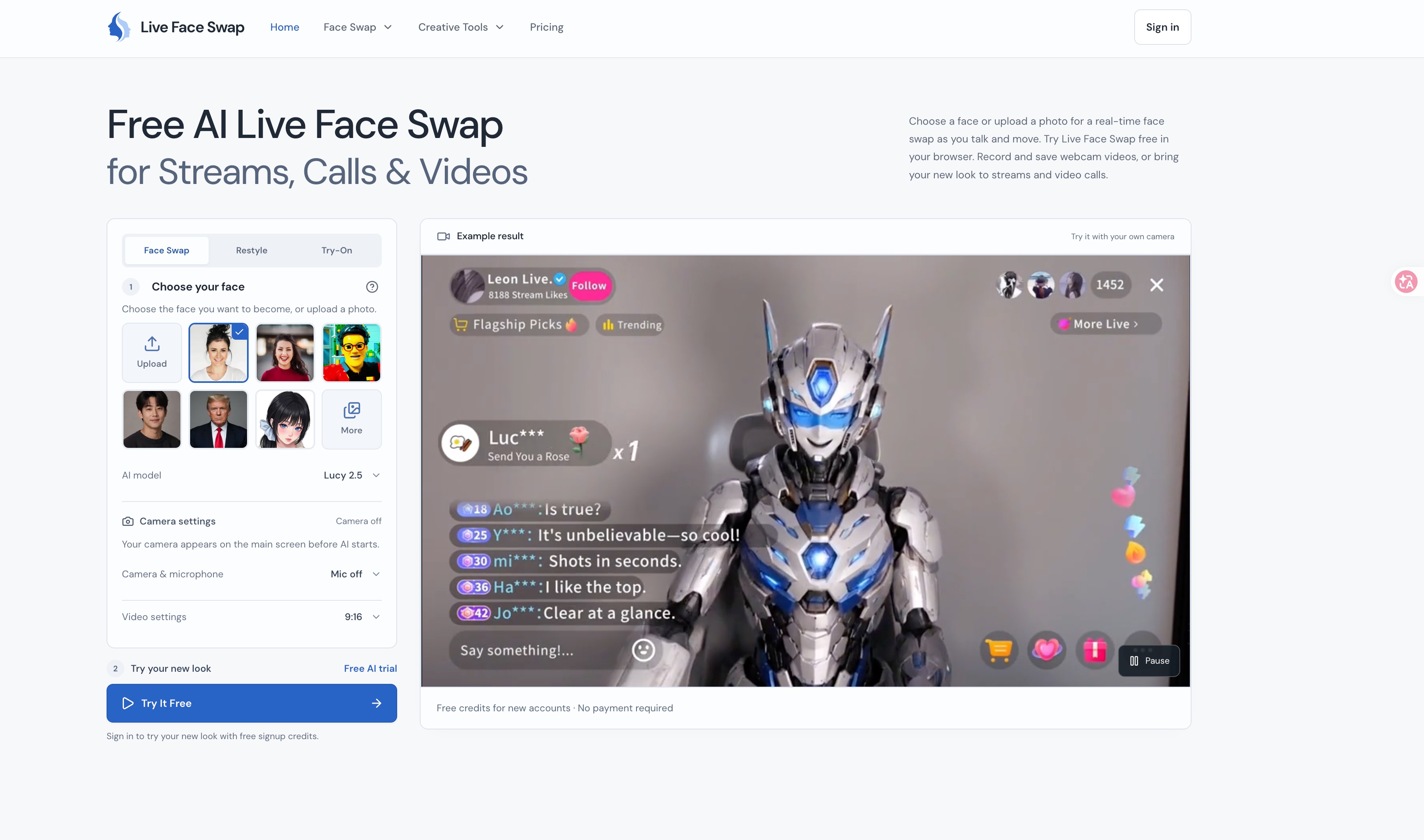
Live video is now part of work, streaming, and social life—but trying on a new on-camera persona usually means complicated software, downloads, or post-production. AI Live Face Swap brings real-time face swapping to the browser, so creators and teams can preview a different look, record clips, or take that look into live streams and video calls without a heavy setup.
At its core, AI Live Face Swap uses webcam input and AI face-swap technology to replace your appearance in real time. Instead of editing recorded footage after the fact, you can see the effect live and adjust before you go on camera. The tool is aimed at streamers, content creators, entertainers, and anyone who wants a more playful or privacy-conscious video presence. A library of presets—portrait, cinematic, animated, studio-style, and character looks—makes it quick to experiment, while custom characters and face presets let you build a repeatable on-screen identity. Because it runs online, there is no desktop install; you open the site, grant webcam access, choose a look, and preview the result.
Key Features
- Real-Time Webcam Face Swapping: Apply AI face transformations live through your browser webcam. See the result instantly, adjust the look, and avoid a separate post-production step for streams, calls, or recorded clips.
- Streaming and Video-Call Ready: Bring your selected face preset into live video interactions. This is useful for streamers, virtual events, creative calls, and social content where changing your on-camera appearance adds entertainment or character.
- Preset and Character Library: Choose from ready-made looks such as Creator, Cinematic, Animated, Warm Studio, Anime Hero, and custom character presets. Presets reduce setup time and help you maintain a consistent style across sessions.
- Preview, Record, and Save: Test a face swap before using it live, then record and save AI face-swap videos. This lets you create short-form content, test concepts, or share results without needing a separate screen recorder.
- Browser-Based, No Downloads: Use the tool directly on the web with a webcam. There is no desktop software to install, which lowers the barrier for trying face swapping on a laptop or desktop setup.
Get Started
Open the website, allow browser access to your webcam, and choose a preset or character. Use the live preview to check lighting, framing, and how the face swap responds before joining a stream or call. When you are ready, record a clip or take the look live. The interface is designed for quick experimentation, so most users can start with a preset in minutes. For best results, use a well-lit face, a stable camera, and a reasonably capable computer; performance and realism can vary by hardware, network, and the selected preset. The core tool is free to try, with optional premium features available for users who need more. It is a web-based creative utility rather than a full video production suite, making it best for fast, on-camera transformations and playful content.