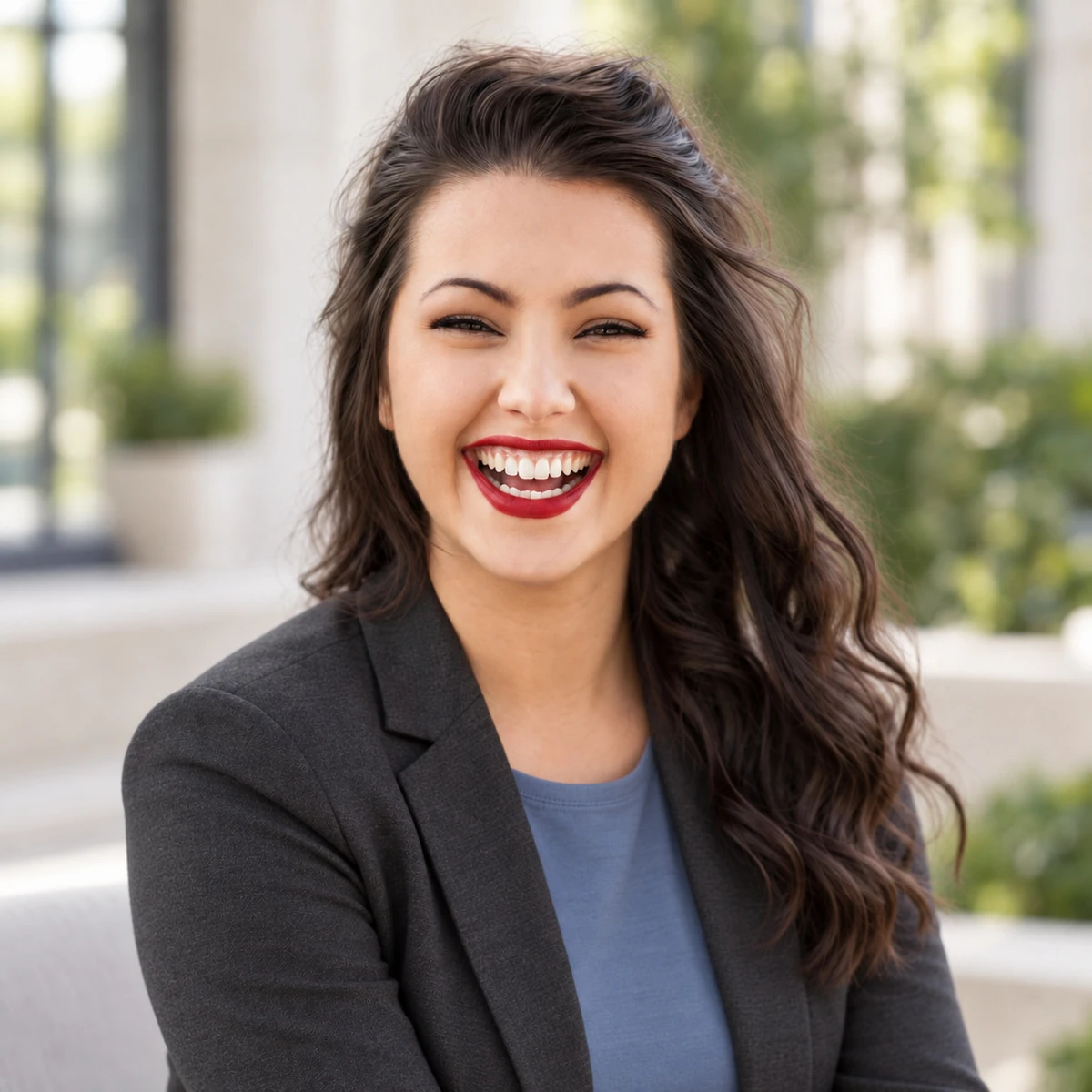
Your next profile photo should not require a studio booking, wardrobe change, or hours of retouching. Professional-Headshot.ai turns an everyday photo or selfie into a polished professional headshot, helping you show up consistently across LinkedIn, resumes, company pages, portfolios, and business profiles.
The platform uses AI to analyze your reference image and generate headshots that preserve your likeness while improving lighting, framing, background, and styling. Instead of applying a generic filter, it acts like an AI-assisted photo agent: it helps handle styling, quality checks, and selection so you can move from an unedited photo to a professional-looking result with far less friction. The goal is simple: give professionals an accessible way to create a modern, credible headshot without coordinating a traditional photo shoot.
Key Features
- Photo-to-headshot generation: Upload a reference photo or selfie and generate professional headshots that maintain your recognizable features while presenting you in a more polished context. This is useful when you need an updated profile image but do not have a recent professional photo.
- AI-guided styling and selection: The workflow goes beyond basic image generation by assisting with styling choices, quality checks, and final selection. That reduces trial and error and helps you find a headshot that feels appropriate for professional use.
- Multiple professional looks: Generate variations for different contexts, such as studio-style portraits, office-inspired backgrounds, outdoor settings, and different wardrobe presentations. You can choose a look that fits your industry, personal brand, or the platform where the photo will appear.
- High-resolution output: Export headshots suitable for online profiles, websites, presentations, and business materials. High-resolution results help avoid the soft, low-quality look that comes from cropping a casual phone photo.
- Fast web-based workflow: Use the tool directly in your browser with no design software or photo-editing expertise. Upload a photo, let the AI process it, review options, and select a result that fits your needs.
- Free entry point with premium options: Start with the free AI headshot generator and explore paid/premium options if you need additional generation capacity, more styles, or higher-end output. This makes it practical to test the quality before committing to a larger package.
Get Started
Getting started is straightforward: open Professional-Headshot.ai in your browser, upload a clear reference photo or selfie, and follow the guided workflow. For best results, use a photo with good lighting, a visible face, and minimal obstruction. The AI then generates professional headshot options that you can review and refine. Because the tool runs on the web, there is no installation or steep learning curve; most users can complete the process in a single session. It is especially useful for job seekers, founders, freelancers, consultants, remote teams, and anyone who needs a credible profile image without scheduling a studio session.