Image-heavy workflows can grind to a halt when every screenshot, photo, and design export needs to be manually optimized. Zipic is built for Mac and Windows users who need to shrink image files without sacrificing visual quality, and who want that work to happen quickly, privately, and consistently across entire folders of assets.
Zipic is a desktop image compression app that combines compression, format conversion, and resizing in one local workflow. Instead of uploading files to a web service, it processes images on your machine, which helps protect sensitive assets and keeps repeated batch jobs fast. The app is aimed at photographers, designers, developers, content creators, and operations teams who regularly prepare images for websites, apps, presentations, documentation, or client delivery. It supports common formats such as JPEG, PNG, WebP, HEIC, and more, with a Windows version currently available in beta.
Key Features
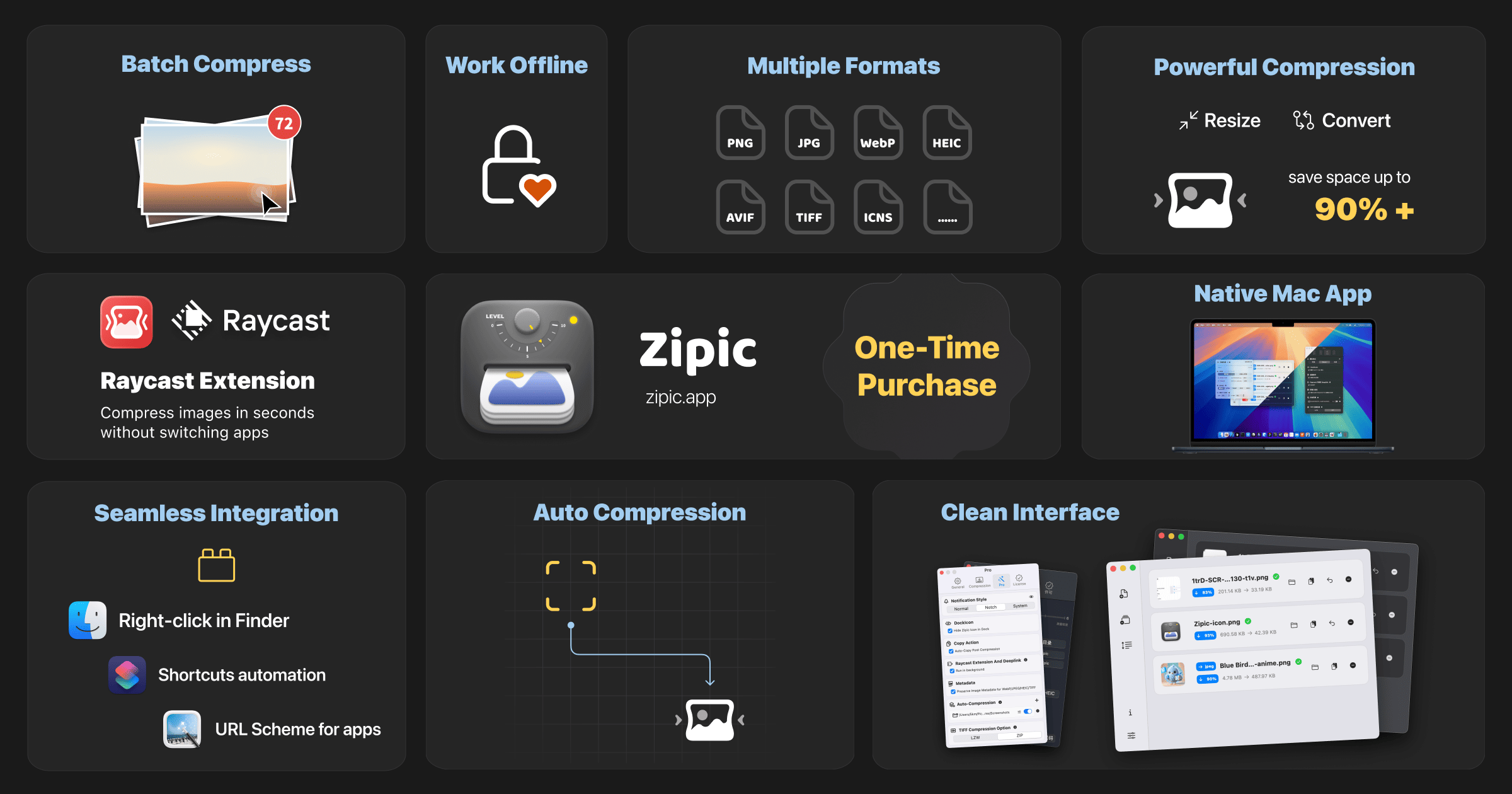
- Local, privacy-first processing: Compress, convert, and resize images directly on your Mac or Windows computer. Because files do not need to be sent to a remote server, teams can work with client photos, product mockups, and internal screenshots more confidently while avoiding upload bottlenecks.
- Batch image optimization: Process multiple files at once instead of repeating the same steps for every asset. Batch workflows are useful for e-commerce catalogs, website image libraries, documentation screenshots, and social media packs where consistent output matters as much as saving disk space.
- Compression with visual quality in mind: Reduce image file sizes while keeping the result suitable for real-world use. Zipic is designed for workflows where smaller files should still look clean in browsers, apps, and presentations, making it easier to improve page load times and keep asset folders manageable.
- Format conversion and resizing: Convert between supported image formats and resize images as part of the same workflow. This is helpful when teams need WebP for the web, JPEG for broad compatibility, or specific dimensions for a layout, without opening several separate utilities.
- Preview before finalizing: Review compressed output before committing to a batch, so you can balance file size against visual quality. The app provides a straightforward native interface that keeps optimization decisions visible rather than turning them into a black-box process.
Get Started
Download Zipic for macOS or Windows, install the desktop app, and drag in the images or folders you want to optimize. Start with a small batch to compare compressed output and confirm the format and resizing settings that suit your workflow, then apply those settings to larger asset libraries. Zipic offers a free tier with premium options, so individuals and teams can test core compression tasks before upgrading. The interface is designed to be accessible without a steep learning curve, making it practical for both one-off image cleanup and repeatable production workflows.