Static images are often the bottleneck between a good idea and a finished piece of content. Every gen AI Studio turns photos into motion-driven short videos, giving creators a faster way to test concepts, showcase products, and publish scroll-stopping visuals without a full production pipeline.
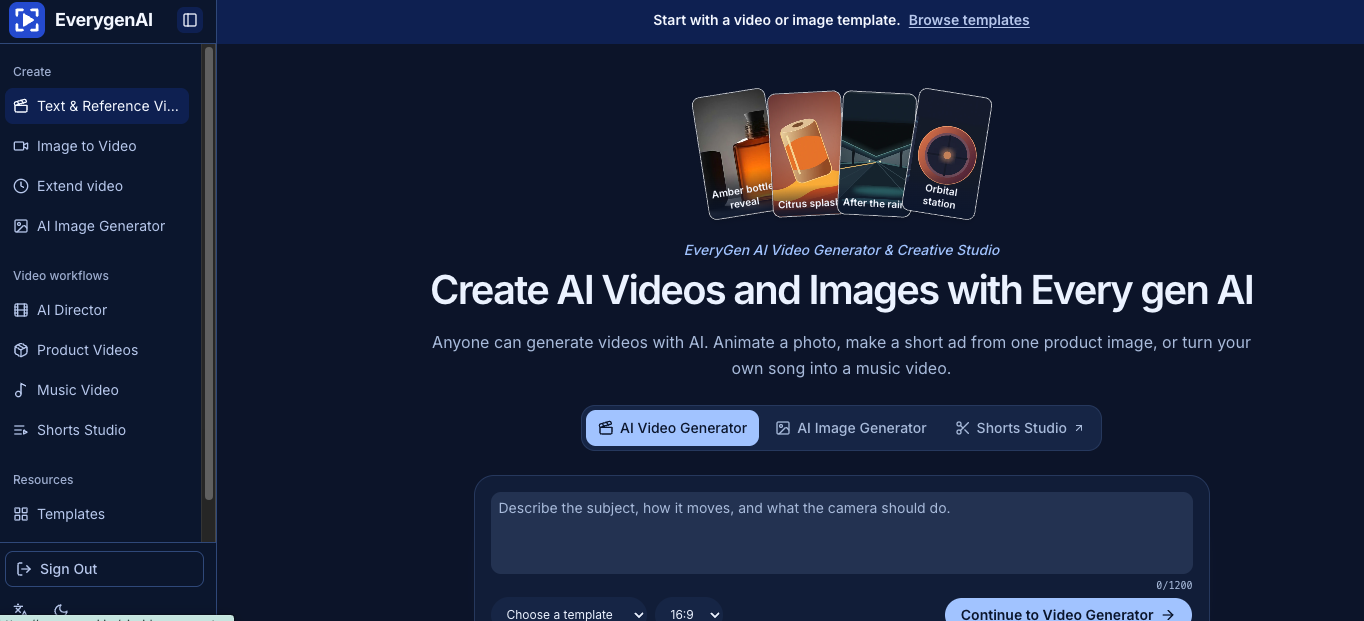
The platform is built around a simple photo-to-video workflow: upload an image, describe the motion or scene you want, and generate a short clip that adds camera movement, environmental effects, or narrative energy. It is aimed at content creators, marketers, small teams, and businesses that need more visual output without hiring a full video crew. Instead of replacing professional editing entirely, Every gen AI Studio focuses on rapid ideation and lightweight production—useful for product reveals, social teasers, animated stills, storyboard-style experiments, and music-driven visuals made from your own songs.
Key Features
-
Photo-to-video generation: Transform product shots, portraits, lifestyle images, and still scenes into short dynamic videos. The workflow is designed for speed, so you can turn a single image into multiple motion concepts and choose the direction that fits your campaign or creative brief.
-
Motion prompts for controlled animation: Add natural-language motion prompts to guide how a still image should move. This makes it possible to experiment with camera moves, environmental effects, and scene-specific actions without manually keyframing every element.
-
Product-focused video templates: Create short videos from product photos for launches, ads, e-commerce listings, and social posts. The studio includes visual examples and templates that help teams move from a static catalog image to a presentation-ready clip.
-
Music video and creative experiments: Use your own songs as a starting point for music-driven videos, or explore storyboard-style visuals and animated scenes. This gives creators a sandbox for testing visual ideas before committing to a larger production.
-
Example-led inspiration and high-quality output: Browse a gallery of animation and scenario examples covering product reveals, character moments, landscapes, and abstract effects. These examples double as inspiration and as a way to understand what kinds of motion and scene prompts work well.
Get Started
Every gen AI Studio runs in the browser, so there is no desktop installation to manage. Start by selecting a photo or visual source, adding a prompt that describes the motion or scene, and generating a short video. From there, review the output, adjust the prompt or image, and iterate until the clip matches your goal. The interface is designed for quick experimentation rather than a steep technical learning curve, making it accessible to marketers and creators who may not have deep video-editing experience while still offering enough control for repeatable creative testing.
Pricing is freemium: a free tier lets you try the core workflow, and premium options start at $9/month for teams that need more output. The platform is web-based and best suited to short-form video creation, concept visualization, and social-ready motion assets; it is not a full replacement for long-form editing, color grading, or complex post-production. For creators who need to turn static visuals into motion quickly, Every gen AI Studio provides a practical, focused entry point.