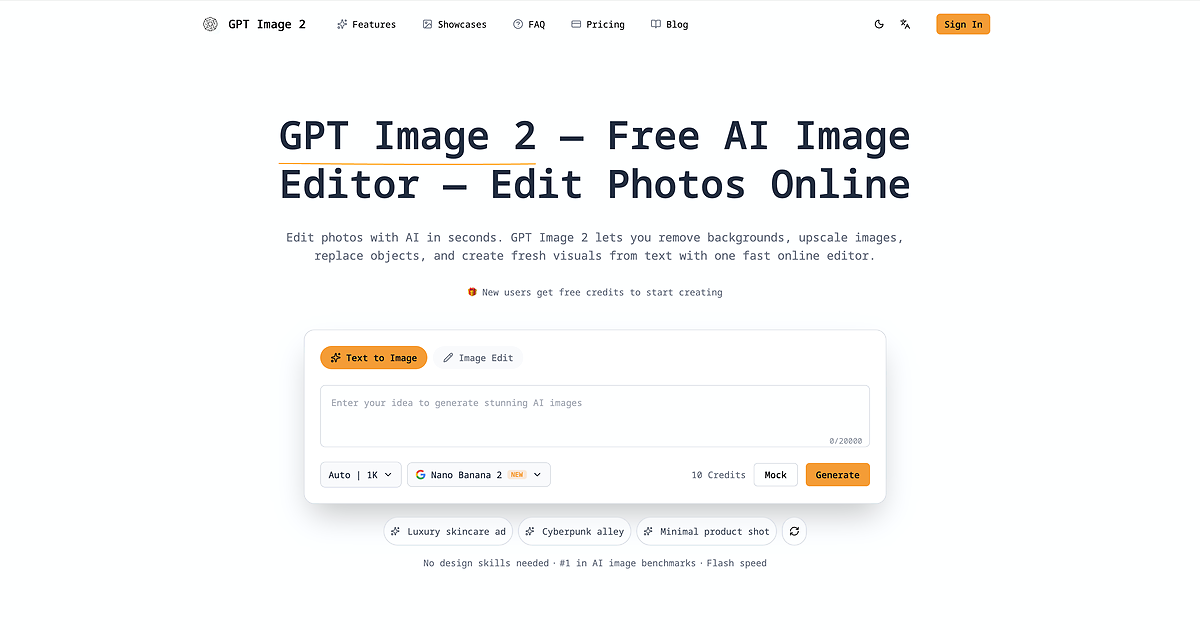
In today's fast-paced digital landscape, creating and editing professional-grade visuals is a bottleneck for creators, marketers, and businesses alike. Traditional tools demand steep learning curves and significant time investments. GPT Image 2 eliminates this friction by placing the power of advanced AI image generation and editing directly in your browser, completely free.
Core Value Proposition
GPT Image 2 is a comprehensive, web-based AI image editor that democratizes professional visual creation. It goes beyond simple filters, offering a suite of intelligent tools powered by generative AI models, including capabilities associated with ChatGPT's vision technology. This allows users to perform complex edits—like object replacement and background removal—or generate entirely new images from text descriptions, all through an intuitive, no-frills interface. It’s designed for speed and accessibility, making high-quality visual content creation possible for anyone with an idea.
Key Features
-
AI-Powered Background Removal: Instantly and cleanly remove backgrounds from any image with a single click. The AI intelligently detects subjects, delivering precise cutouts without the manual labor of traditional pen tools, perfect for product photos or profile pictures.
-
Intelligent Image Upscaling: Enhance low-resolution images without losing quality. This feature uses AI to intelligently add detail and sharpness, allowing you to enlarge photos for print, digital displays, or social media while maintaining clarity.
-
Text-to-Image Generation: Bring your ideas to life by generating unique, custom images from simple text prompts. Describe a scene, concept, or style, and the AI creates a corresponding visual, opening endless possibilities for illustrations, concept art, and content creation.
-
In-Painting & Object Replacement: Seamlessly edit photos by removing unwanted objects or replacing elements within a scene. The AI understands the context of the image to fill in gaps realistically, making it easy to perfect a shot or alter compositions.
-
Multi-Format Support & Fast Processing: Work with all common image formats (JPG, PNG, WebP, etc.) and experience rapid processing times. The web-based platform ensures you can edit on any device without lengthy uploads or software installs, streamlining your workflow from start to finish.
Get Started
Getting started with GPT Image 2 is remarkably straightforward. Simply navigate to the website from any modern web browser—no downloads, installations, or account creation is required to begin using the core free features. The interface is designed for immediate usability: upload an image to access editing tools like background removal, or head to the text-to-image generator to type your prompt. There’s virtually no learning curve. For users looking to explore the full potential, the website may offer guidance on crafting effective prompts for generation tasks. The tool is built for instant gratification, turning your visual concepts into reality in minutes.