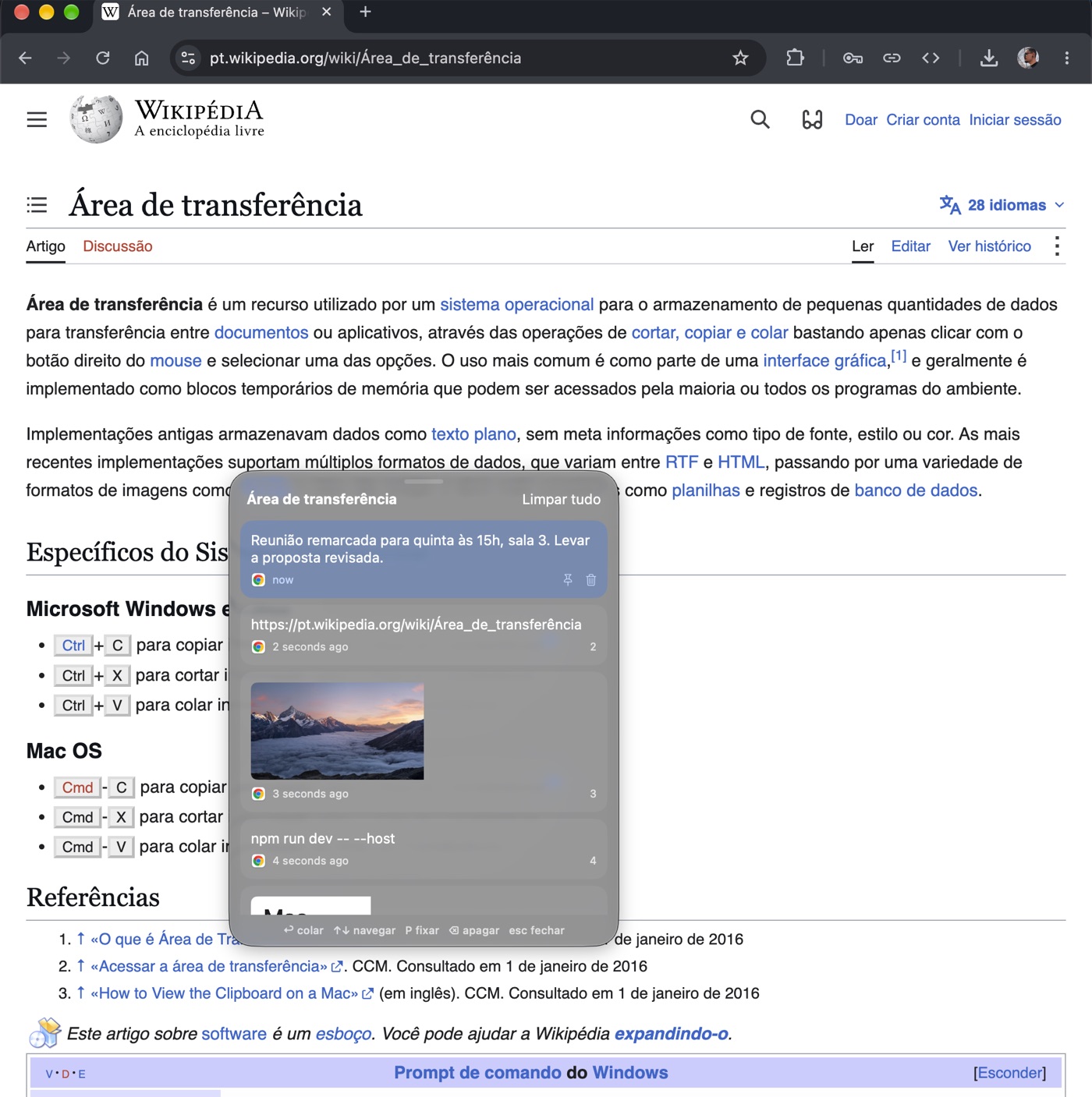
OptPaste is a free and open source clipboard history for the Mac. macOS only remembers the last thing you copied; OptPaste keeps everything.
Press ⌥V in any app and a small panel opens on top of what you're doing with your latest copies: text, links, images and files, each with the icon of the app it came from and when it was copied. Pick an item with the arrow keys or the mouse, or press 1-9, and it's pasted straight into the app you were using (or just copied, if you prefer).
- Pin what matters: addresses, canned replies and snippets stay on top and survive "Clear all".
- Private by default: items copied from password managers are masked or never stored at all.
- Cut and paste in Finder: ⌘X then ⌘V moves files, like on Windows.
- Out of the way: lives in the menu bar, starts at login, keeps 10 to 200 items and updates itself.
Native Swift/SwiftUI app for macOS 14 and later, in English and Portuguese. The source code is on GitHub.