The Challenge of Visual Creation
In today's content-driven landscape, creators, marketers, and entrepreneurs face a constant demand for high-quality, original visuals. Traditional methods—stock photos, complex design software, or hiring illustrators—are often time-consuming, expensive, or creatively limiting. The barrier between an idea and its visual representation remains frustratingly high.
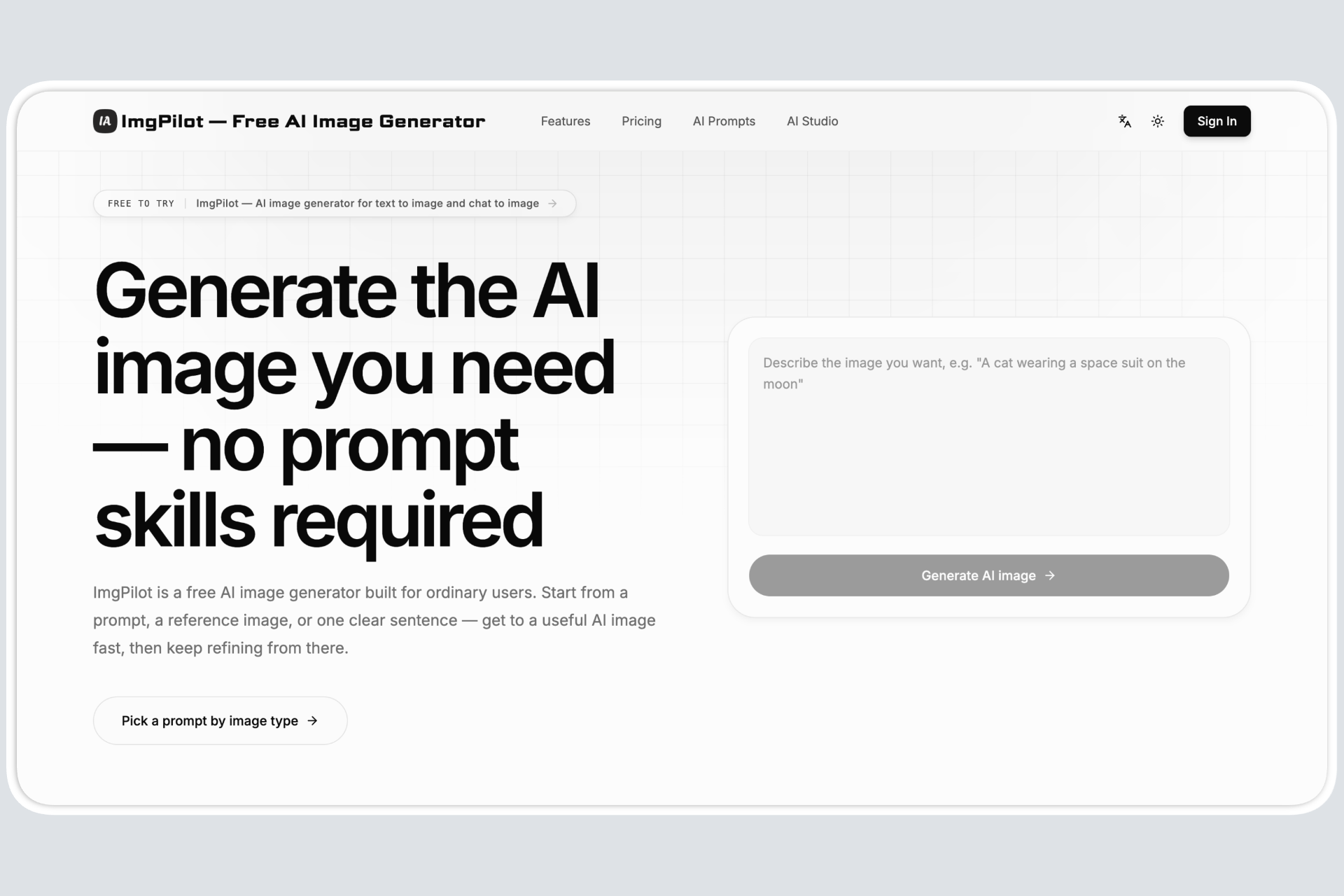
ImgPilot exists to dismantle that barrier. It's a powerful, free AI image generator that democratizes visual creation by transforming simple text descriptions or natural conversations into detailed, artistic images in seconds. Whether you need a concept sketch, marketing asset, character design, or abstract artwork, ImgPilot provides an intuitive, conversational gateway to bring your imagination to life without technical complexity or financial overhead.
Core Value Proposition
ImgPilot distinguishes itself through a dual-mode approach to AI image generation, combining precision with creative flexibility. At its core, it leverages advanced generative AI models to interpret user intent, but it packages this technology in uniquely accessible ways. The platform goes beyond a simple text-to-image box by offering a guided, chat-based interface that allows for iterative refinement and creative exploration. This makes it not just a tool for generating a single image, but a partner in the creative process, capable of understanding context and following instructions through dialogue. Its commitment to a robust free tier makes professional-grade visual creation accessible to individuals, startups, and content creators who need to produce compelling visuals without budget constraints.
Key Features
- Dual Creation Modes: Choose between direct Text-to-Image generation for precise control using detailed prompts, or engage in Chat-to-Image for a conversational, iterative creation process where you can describe, edit, and refine your image through natural dialogue.
- Extensive Prompt Library: Overcome creative block with a categorized library of pre-built, effective prompt templates. This resource is invaluable for learning prompt engineering, discovering new styles (like Pixar or vibrant street art), and jumpstarting the creation process with proven formulas.
- Reference Photo Integration: Upload existing images to use as a visual reference or starting point. This feature allows you to guide the AI's style, composition, or elements, enabling more accurate iterations on a concept or blending ideas from multiple sources.
- Customizable Image Settings: Gain control over the output by adjusting key parameters. Select from different AI models suited for various artistic styles, and configure aspects like aspect ratio and detail level to ensure the generated image fits your specific project requirements.
- High-Resolution Output: Generate images ready for professional use. ImgPilot produces high-quality, high-resolution visuals suitable for digital content, presentations, concept art, and preliminary design work, eliminating the pixelation common in free AI tools.
Get Started
Getting started with ImgPilot is designed for zero friction. Simply visit the website imgpilot.app from any modern web browser—no download, installation, or account creation is required to begin generating. New users can immediately experiment with the text-to-image field or dive into the chat interface. For guidance, explore the Prompt Library to see examples of effective phrasing and discover artistic styles. The learning curve is minimal; the most effective strategy is to start with a clear idea and use descriptive language. The chat mode is particularly useful for refining vague concepts through back-and-forth interaction with the AI. As a completely free tool with a web-based platform, ImgPilot offers an immediate, risk-free way to integrate AI-powered visual creation into your workflow.