Job seekers often spend hours wrestling with formatting, choosing the right words, and trying to guess what recruiters actually want to see. Resume Wizard was built to remove that friction: it turns the blank-page problem into a guided, step-by-step process so you can produce a polished, recruiter-ready CV in minutes rather than days.
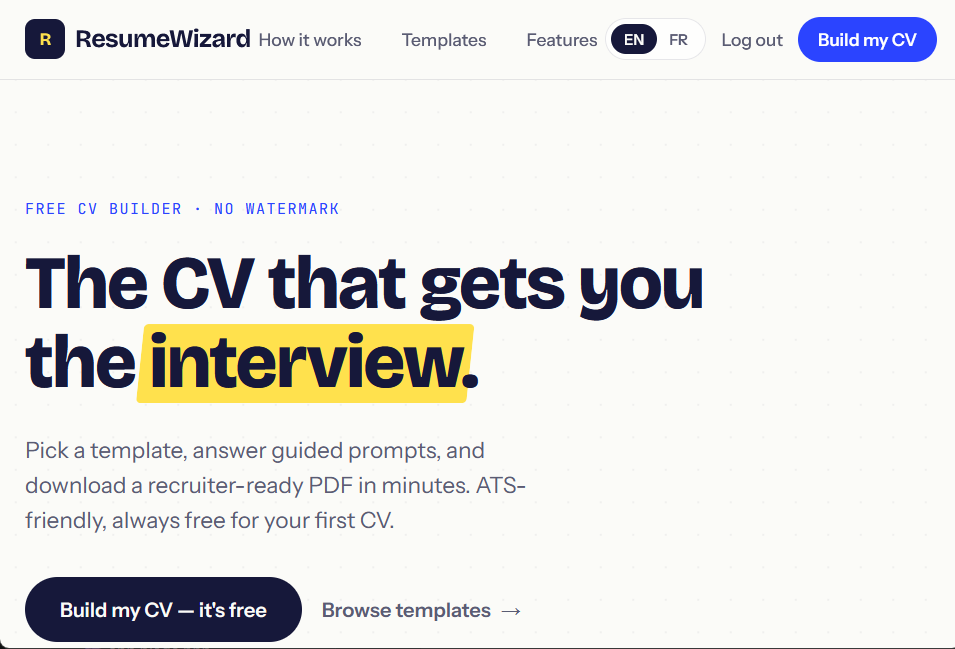
At its core, Resume Wizard is a web-based resume builder that combines professional templates with structured prompts. Instead of leaving you alone with a generic editor, it asks for the details that matter—work history, skills, education, achievements—and helps organize them into a clean, ATS-friendly layout. The result is a document that looks intentional and reads clearly, whether you're applying for your first job, changing industries, or targeting a senior role. The first CV is free, so you can test the workflow without commitment; premium options are available for users who need ongoing access, more templates, or advanced features.
Key Features
- Guided Resume Creation: Answer plain-language prompts instead of figuring out resume structure from scratch. The builder walks you through each section, making it easy to capture measurable achievements and relevant keywords.
- Recruiter-Ready Templates: Choose from layouts designed with hiring workflows in mind. Templates emphasize readability, consistent spacing, and clear section hierarchy, helping your experience stand out without visual gimmicks.
- Customizable Sections: Add, reorder, or tailor sections such as personal info, work experience, education, skills, projects, certifications, and more. This flexibility lets you adapt the same CV for different industries or job postings.
- PDF Download and Export: Generate a clean PDF when your CV is ready. A downloadable file makes it simple to attach to applications, upload to job boards, or share with recruiters directly.
- Fast, Browser-Based Workflow: Build and edit from any modern browser without installing desktop software. The interface is straightforward enough for non-designers yet structured enough for professionals who want control over their final document.
- Free First CV: Create and download your first CV at no cost, then upgrade only if you need premium templates or ongoing access.
Get Started
Getting started takes just a few minutes. Open Resume Wizard in your browser, pick a template, and follow the guided prompts. Enter your personal details, work history, education, and skills; the builder handles the layout as you type. Preview your CV, make adjustments, and download it as a PDF. There's no steep learning curve and no need to learn a design tool. If you're unsure what to write, use the prompts as a checklist to surface achievements and responsibilities you might otherwise overlook. The free tier is ideal for a one-off job application, while the freemium upgrade is aimed at active job seekers who want to iterate on multiple versions or access more premium options. Resume Wizard doesn't replace career coaching or guarantee interviews, but it does remove the formatting and structure barriers that stop good candidates from presenting themselves well.