Manually removing backgrounds from dozens or hundreds of product photos, marketing assets, or portfolio images is a notorious time-sink. For e-commerce teams, photographers, and content creators, this repetitive, detail-oriented task drains creative energy and delays project timelines. BatchRemover exists to eliminate this bottleneck entirely, offering a specialized, AI-driven workflow that transforms a tedious chore into a one-click operation, freeing professionals to focus on higher-value creative and strategic work.
BatchRemover is a purpose-built SaaS platform that leverages advanced AI to automatically detect and remove backgrounds from multiple images simultaneously. Unlike single-image editors or complex software like Photoshop, it focuses solely on efficient, high-quality bulk processing. The core value lies in its combination of automation and control: users can upload entire folders of images, process them in a single batch with consistent, precise cutouts, and then still have the flexibility to customize the final output. This makes it an indispensable tool for anyone who regularly needs clean, transparent-background images at scale, from small business owners managing their own online stores to agencies handling large client catalogs.
Key Features
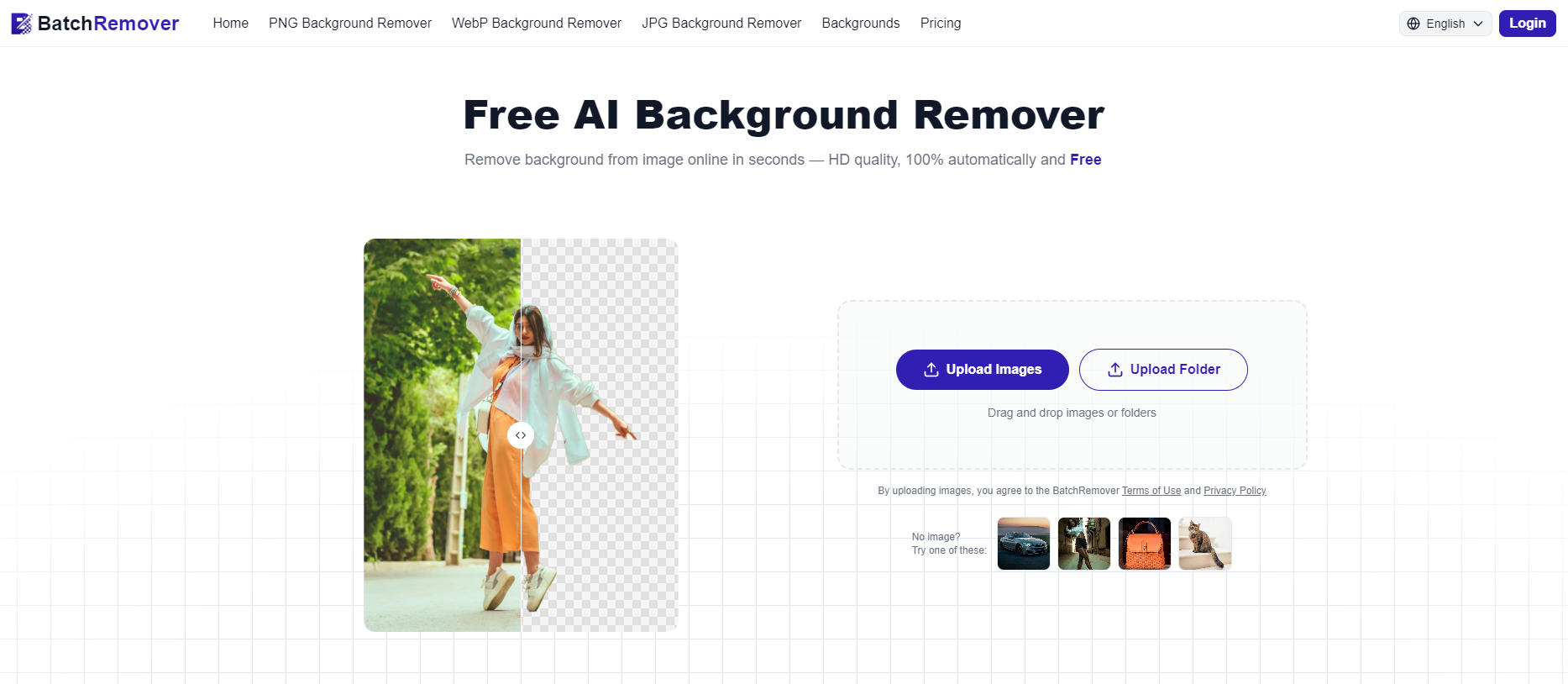
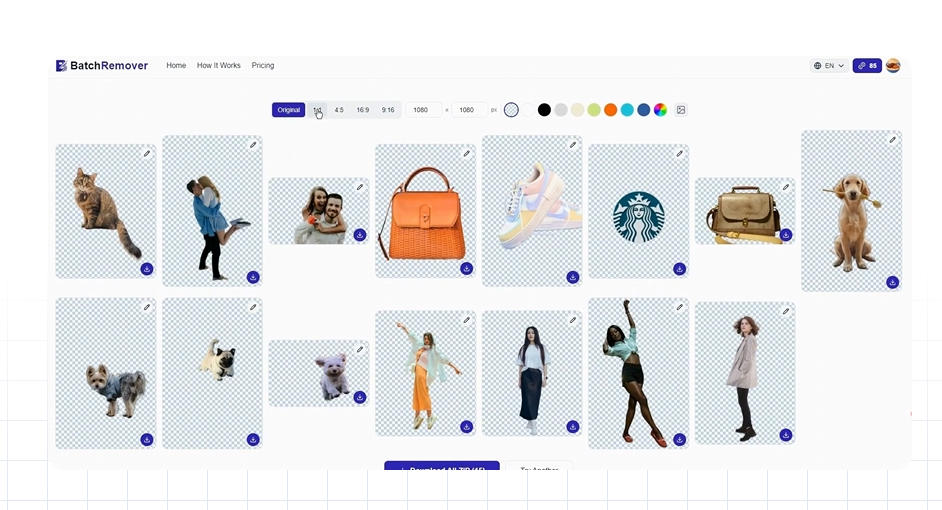
- True Batch Processing: Upload hundreds of images at once for simultaneous background removal. This is the platform's foundational capability, designed to handle volume without requiring individual file submissions or manual oversight during the AI processing stage. It's ideal for standardizing product photos or preparing large sets of images for composite projects.
- Post-Removal Customization & Background Replacement: After the AI removes the original background, users aren't locked into a transparent PNG. The tool provides options to replace the void with a solid color of your choice, a custom uploaded image, or to simply adjust the canvas size around the subject. This integrated workflow means you can go from raw image to final asset ready for a specific banner, template, or background scene without ever leaving the platform.
- Multi-Format HD Exports: Download your processed images in the format that suits your needs. BatchRemover supports PNG for lossless quality with transparency, JPG for smaller file sizes and broad compatibility, and modern WebP for optimal web performance. Exports are available in full HD resolution, ensuring the processed images are suitable for both digital displays and print materials.
- Precision AI for Complex Subjects: The underlying AI model is trained to handle challenging edges and details, such as fine hair, intricate product edges (like the tines of a fork or strands of jewelry), and semi-transparent materials. Visual samples on the site demonstrate effective removal from diverse subjects, including people, consumer products, and isolated objects, ensuring reliable results across a wide range of use cases.
Get Started
Getting started with BatchRemover requires no installation or account creation for its core free tier, emphasizing immediate utility. Simply visit the website, drag and drop your batch of images into the upload zone, and let the AI process them. The interface is streamlined for this specific task, resulting in a near-zero learning curve. After processing, you can review results, apply any background replacements or color fills, and choose your export format before downloading the entire batch as a ZIP file. For users with consistent, high-volume needs, exploring premium options can provide additional capacity or features. The tool's web-based nature ensures access from any modern browser, making it a flexible addition to any creative or operational toolkit.