Opening Hook In a world full of distractions, staying focused and delivering polished presentations can be a challenge. BlackScreen offers a pure black fullscreen canvas that eliminates visual clutter, helping you concentrate on the task at hand or present with clarity.
Core Value Proposition BlackScreen is a free, ad-free online fullscreen tool that runs directly in your browser. It provides a distraction-free fullscreen mode optimized for OLED displays, making it ideal for deep focus sprints, clean presentations, and eye-friendly viewing. The tool is web-based with no download required and supports high-resolution outputs, including 8K-ready exports, while working online or offline to ensure reliability in any setting.
Key Features
- Distraction-free fullscreen: Switch to a pristine black canvas to minimize on-screen clutter and maximize focus during work or presentations.
- OLED-friendly background: Optimized black background reduces blue light exposure and is gentler on OLED screens for long sessions.
- Web-based, no install: Start instantly in your browser with no software installation or setup required.
- Ad-free experience: Enjoy a clean, interruption-free interface for faster load times and smoother workflows.
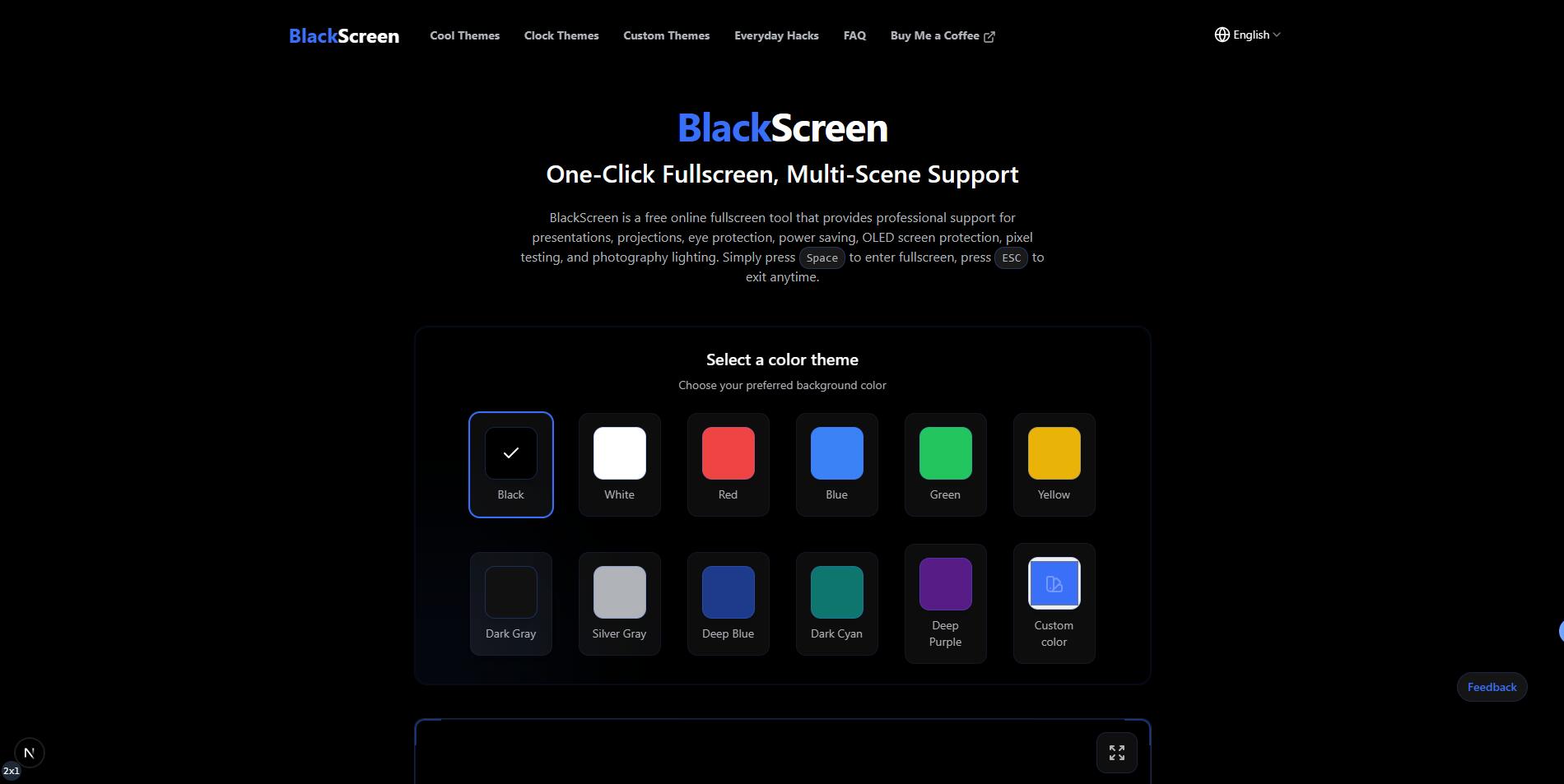
- Customizable colors: Adjust background shade and contrast to suit ambient lighting or branding needs.
- 8K resolution downloads: Produce high-quality exports when you need crisp, professional visuals for slides or demos.
- One-click fullscreen toggle: Quickly switch between standard view and fullscreen to maintain workflow momentum.
- Offline capability for presentations: Use the fullscreen canvas in environments with limited or no internet connectivity.
Who Is This For?
- Freelancers and developers running focused work sessions (coding sprints, writing, debugging) who benefit from a distraction-free canvas.
- Educators and presenters delivering slides or demos in classrooms or meeting rooms that require clean visuals and reduced screen glare.
- Remote teams doing live demos or product demos where a minimal, high-contrast backdrop enhances clarity.
- OLED screen users seeking eye-friendly viewing during long hours of screen time without compromise on presentation quality.
Under the Hood
BlackScreen runs entirely in the browser, providing a lightweight, fast experience without the need for downloads. Its emphasis on a pure black display contributes to reduced eye strain and improved concentration during critical tasks and presentations. The tool supports high-resolution rendering and is designed to be reliable in both online and offline scenarios, with a focus on simplicity and performance.
Get Started
Visit the BlackScreen site, click to enter fullscreen, and tailor the background color to your preference. There are no accounts or downloads required, so you can start immediately. For presenters, simply toggle fullscreen as you transition between slides or tasks. If you need to present in environments with spotty connectivity, rely on the offline-friendly mode to keep your screen experience consistent.
Closing Statement BlackScreen offers a straightforward, free solution to reclaim focus and deliver polished presentations with a clean, high-contrast fullscreen canvas. Explore how a simple fullscreen switch can elevate productivity and clarity in your daily workflows.