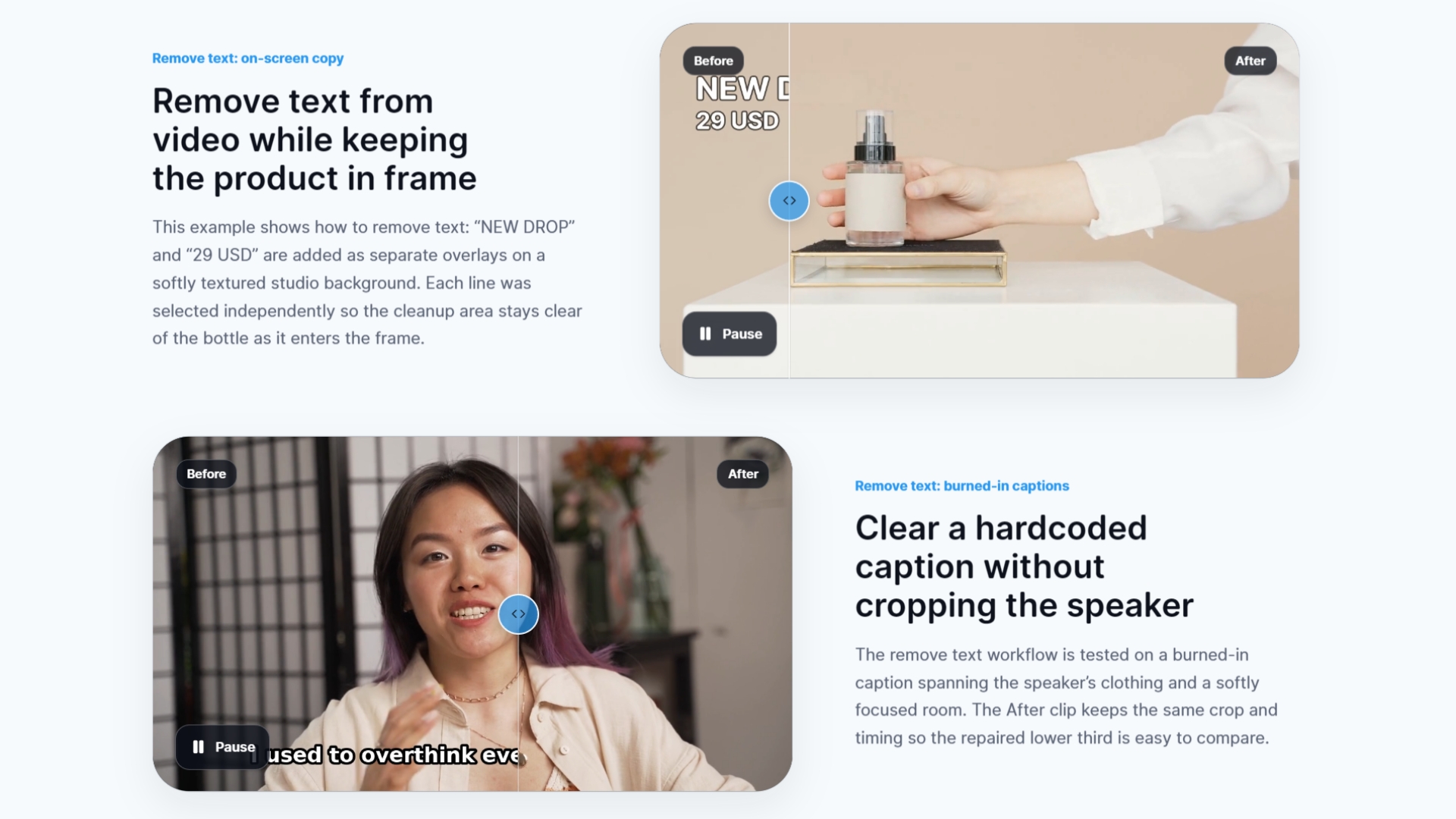
Burned-in text can ruin an otherwise perfect video. Captions, subtitles, logos, timestamps, and watermarks are often baked directly into the frame, making clips feel unprofessional or unusable for repurposing. RemoveText.video solves this with an AI-powered video text remover that runs entirely online. You don't need to open a complex editor, frame-by-frame mask, or learn motion tracking. Just upload the clip, let the AI detect the text regions, and download a clean version with the unwanted overlays gone.
The platform focuses on one task: removing hardcoded text from video while preserving the natural movement and texture of the scene. Traditional editing tools require tedious manual work and often leave visible artifacts. RemoveText.video instead analyzes every frame, identifies the pixels belonging to text and logos, and reconstructs the background using advanced inpainting techniques. The result is a cleaner visual experience for viewers—whether you're refreshing old content, preparing clips for localization, or removing visual clutter from client deliverables.
Key Features
-
Accurate Text Detection: The AI automatically detects hardcoded subtitles, captions, lower-thirds, timestamps, logos, and authorized watermarks. It doesn't just blur or cover the text—it targets the text areas and removes them from the video stream.
-
Background Reconstruction: Removing text is only half the job; the space behind it must look natural. RemoveText.video uses background-aware inpainting to rebuild the pixels and textures under removed text, maintaining fluid motion and avoiding obvious smudges.
-
No Editing Skills Required: The entire workflow is browser-based and streamlined. Upload a video, select the areas you want cleaned or let the AI handle detection automatically, then process. There's no timeline, no keyframes, and no steep learning curve.
-
Online and Accessible: No installs, no expensive hardware, no file-specific software limitations. Any device with a modern web browser can access the tool, making it easy for remote teams, freelance editors, and content creators to clean up footage on the fly.
-
Free Tier with Premium Options: The service is free to use for essential text removal tasks, with premium plans available for users who need higher resolution output, longer videos, or faster processing. This makes it accessible for casual creators while scaling to professional needs.
-
Creator-Friendly Workflow: Designed with social media managers, YouTubers, course creators, and video marketers in mind. Clean up branded content, remove old watermarks from archived footage, or prepare clips for multilingual versions by eliminating hardcoded text before adding fresh captions.
Get Started
Getting started takes seconds. Go to removetext.video, upload your video file, and either choose automatic AI detection or manually draw a selection around the text to remove. The online tool processes the clip and lets you preview the result before downloading the cleaned video. No account is required for basic use, and the free tier gives you a risk-free way to see the quality before deciding whether to upgrade. There are no complicated settings to configure—just upload, clean, and download.
Whether you're a professional editor cleaning up footage or a business owner polishing product videos, RemoveText.video gives you a focused, intelligent solution for one of video editing's most tedious tasks. Say goodbye to burned-in text and hello to clean, reusable clips.