Overview
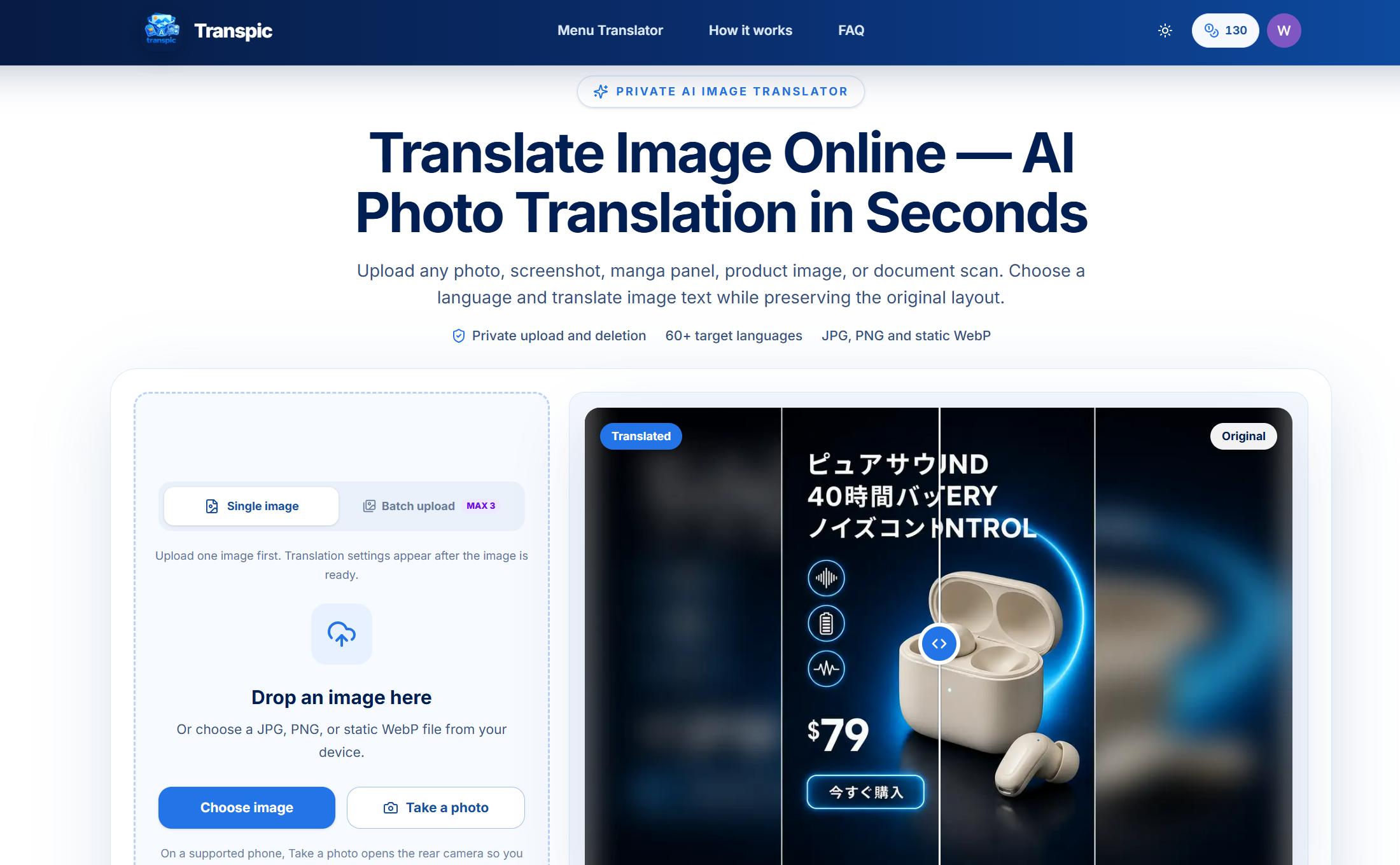
Image translation is often a manual, frustrating process: extract text with OCR, paste it into a translator, then rebuild the layout in a design tool. Transpic solves that by translating the text inside your images in one pass, keeping the original layout, typography, product visuals, prices, and branding intact. Whether you need to localize an e-commerce ad, understand a menu, translate a screenshot, or read a manga panel, Transpic turns a static image into a multilingual asset without the usual redesign work.
Why Transpic Stands Out
Transpic is an AI-powered image translator built for visual content. Instead of simply returning plain text, it detects words inside the image, understands context, translates them into your target language, and renders the translation back into the image with impressive layout preservation. This makes it especially useful for product listings, marketing creatives, documents, screenshots, and social posts where design consistency matters. The platform supports 60+ languages and works directly in the browser with no sign-up required for basic use. It is designed for marketers, e-commerce sellers, travelers, students, developers, and anyone who regularly encounters text trapped inside an image.
Key Features
-
Layout-Preserving Translation: Transpic translates text within images while maintaining the original composition, alignment, font hierarchy, and visual context. This means product photos, ads, and documents remain presentation-ready instead of turning into broken collages.
-
60+ Language Support: Translate images between a wide range of languages, including English, Spanish, Japanese, Chinese, Korean, French, German, and many more. The language picker makes it easy to localize the same creative for multiple markets.
-
Single and Batch Upload: Process one image at a time for quick tasks or upload multiple images to streamline larger localization projects. Batch support helps teams handle product catalogs, menus, and campaign assets more efficiently.
-
E-Commerce and Marketing Ready: Perfect for translating product advertisements, price tags, packaging, travel mug posters, wireless earbuds promos, and other commercial visuals. Prices, product details, and branding stay recognizable while the copy switches languages.
-
Beyond Product Images: Use Transpic for document screenshots, game screenshots, menus, manga panels, social media graphics, and everyday photos. The same layout-aware pipeline works across many visual formats and use cases.
-
No Sign-Up Barrier: The free online translator lets you upload an image, choose a language, and download the result without creating an account first. This lowers friction for quick translations and makes it easy to test before committing to a paid plan.
Use Cases
Transpic fits naturally into localization workflows. E-commerce teams can translate product images for new regions without rebuilding every ad. Marketers can adapt campaign visuals for multilingual audiences. Travelers can point their phone at a menu or sign, upload the photo, and get a readable translated image. Developers and support teams can translate UI screenshots for documentation. Educators and students can translate diagrams or scanned notes. Because the output remains an image, it is immediately shareable and ready to post, send, or publish.
Get Started
Getting started with Transpic is straightforward. Open the website, upload a JPG, PNG, WebP, or other supported image, select the target language, and let the AI detect and translate the text. Review the result in the before-and-after view, then download the translated image. For larger projects, use batch upload to process several images in one session. No complex setup is required, and the interface is designed for non-designers as well as professionals. A free tier makes it easy to try the core translator, while premium options are available for users who need more capacity or advanced workflows.