In today's fast-paced digital workflow, capturing and sharing visual context from websites—be it for documentation, bug reporting, design inspiration, or competitive analysis—is a fundamental yet often cumbersome task. Native tools fall short with viewport limits, and traditional screen recording software is heavy and complex. WebsiteScreenshot.online eliminates this friction by providing a powerful, browser-based utility that delivers professional-grade captures and recordings in seconds, directly from a URL.
WebsiteScreenshot.online is a zero-friction, cloud-based visual capture engine. It goes beyond basic screenshots by rendering entire web pages at custom resolutions, including mobile viewports, and can produce dynamic video recordings of page interactions and scrolls. The tool's core value lies in its simplicity and power: there is no software to install, no account to create, and no complex settings to configure. You simply enter a URL, choose your output format and parameters, and receive a high-fidelity visual asset. This makes it an indispensable utility for developers verifying responsive designs, marketers creating campaign assets, content creators building tutorials, support teams documenting issues, and businesses conducting competitive audits—all without ever leaving the browser.
Key Features
-
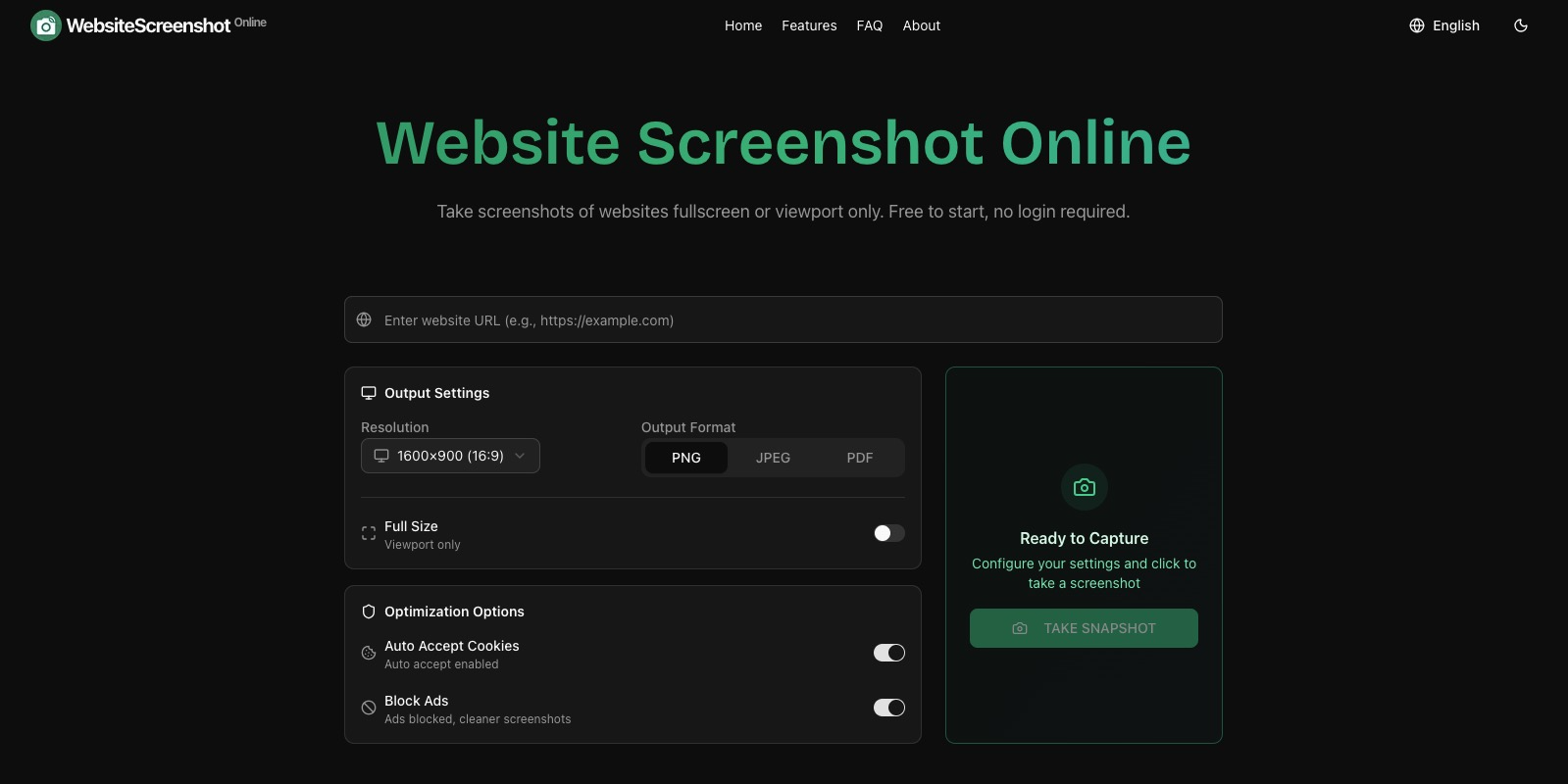
Multi-Format Capture & Recording: Generate static screenshots in PNG, JPEG, or PDF formats for crisp images or printable documents. For dynamic content, record full-scrolling videos and save them as MP4 files for playback or lightweight GIFs for easy sharing in chats and documentation. This versatility ensures you have the right asset for any use case, from formal reports to social media snippets.
-
Custom Resolution & Device Emulation: Capture websites exactly as they appear on any device. Pre-set resolutions for common desktop, tablet, and mobile screens are available, or input custom pixel dimensions for precise control. This is critical for developers and QA testers who need to validate responsive breakpoints and ensure consistent user experiences across all platforms without manually resizing browser windows.
-
Full-Page & Viewport Capture: Choose between capturing the entire length of a webpage—rendering everything below the fold—or just the currently visible viewport. The full-page capability is powered by a headless browser engine that accurately renders all elements, including lazy-loaded images and dynamic components, providing a true representation of the live site.
-
Instant Processing & Direct Downloads: The tool is built for speed. After submitting a URL, the cloud infrastructure processes the request rapidly, delivering your screenshot or video file as a direct download link. There are no watermarks on free outputs, and no intermediary steps redirect you through ad-filled pages, maintaining a clean and professional workflow.
-
Privacy-Centric & Accessible: Since no registration is required, you can use the tool anonymously. The service acts as a proxy, fetching and rendering the public-facing website content without storing your captures long-term or tracking your activity. This makes it a trustworthy choice for capturing sensitive or proprietary web pages during internal reviews.
Get Started
Using WebsiteScreenshot.online is intentionally straightforward. Navigate to the website using any modern browser. In the prominent input field, paste the URL of the webpage you wish to capture. Select your desired output type (Screenshot or Video) and then configure your options: format (e.g., PNG, MP4), screen resolution, and capture scope (full page vs. viewport). Click the capture button. The tool will process the request and present you with a preview and a download button for your file. The entire process—from landing on the site to saving your asset—typically takes under a minute, with no learning curve. For advanced or bulk operations, you can explore their API documentation for programmatic access, integrating seamless visual capture directly into your development or content pipelines.